Showing posts with label Renzie's Everyday Tech. Show all posts

Renzie on the Canon Digital EOS 400D Rebel XTi

Friday, July 11, 2008
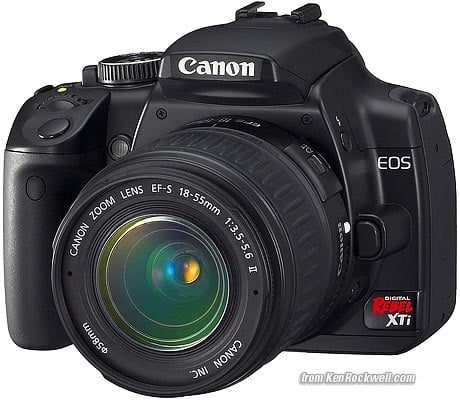
I picked up this baby a few days upon arriving in Los Angeles. I couldn't help but notice how much cheaper electronics are in the United States (compared to the Philippines), and since I wanted a step up from my old digital camera (which was an Sony 3.1 Megapixel I've had since December 2004), I thought the Canon Digital EOS 400D Rebel XTi would be a good choice for a digital photography amateur like myself.

After all, the reviews on the Canon Rebel XTi had been consistently great. A quick check online would tell a newbie like me that I should consider getting either a Canon, or one of those nice little Nikon cameras. In fact, I even wrote a few posts a couple months back.

In the end, I picked up the Canon Digital EOS 400D Rebel XTi at the Circuit City in Glendale. That, plus a 4Gb CF Card, and a nice little bag to go with it. For the duration of my month-long stay in Los Angeles, the Canon Rebel XTi has always been by my side, and it's one of my new favorite toys.

I've decided to put my amateur photography skills into good use by starting a food and travel blog. It's a work in progress- I'll announce it as soon as it's ready.

My Review of the Canon Digital EOS 400D Rebel XTi

The Canon Rebel XTi is a remarkable camera, and is a great choice for amateur digital photographers like myself looking to venture into more serious photography.

It's an extremely user-friendly camera, as it has a great range of fully automated picture-taking functions, so you can start using the Canon Rebel XTi straight out of the box, with just a quick review of the instruction manual.

(But it's always a prudent thing to read through the whole manual before reallly putting in a lot of play time with your new toy!)

The basic camera already comes with an EF-S 18-55mm - which is really a good all-around lens as it its. Later on, as you get the hang of the Canon Rebel XTi, you could purchase additional lenses for more specialized functions like give you a farther zoom, or the ability to shoot photos in dark or low-light, etc.

As I mentioned, the Canon Digital EOS 400D Rebel XTi has a lot of great fully automated picture-taking functions, with convenient pre-sets that allow you to specific shots with a quick flick of a switch- portraits, landscapes, close-ups, etc. This is really great for beginners, or for those who wouldn't mind letting the camera do all the work- which for me is something I could totally appreciate.

Much later, you could tinker around with the more advanced settings- an area which I have yet to figure out for myself, newbie that I am.

You'll definitely appreciate the Canon Rebel XTi a lot better with just a little more photography know-how- get someone to teach you, or learn from a book or online. With an interface that's easy to use and easy to familiarize yourself with, it's very encouraging for amateurs and beginners to make an effort to get into photography some more, and pick up some new theories, as well as new tricks along the way.

And the later on, you can buy even more additional accessories for your Canon Rebel XTi. Not only would you want a variety of lenses, but you might also want a Speedlite or two, a wireless remote and tripod, maybe even an angle finder and battery magazines much later on, depending on your needs as a photographer.

Thanks to KenRockwell.com for the Canon Rebel XTi photo. Check out his site for some great tips on getting the right camera and taking better pics. You may also want to visit the Digital Photography Review for more on the Canon EOS 400D Digital Rebel XTi, or the tech section on Yahoo!

Cheers, everyone!

Read more...

Guzzle Less Fuel, Please

Friday, June 6, 2008

I've only been in LA for a week, and I've observed that, when it comes to gas and fuel consumption, people in Los Angeles worry about it as much as we do back in the Philippines.

Unlike the Philippines, however, there seems to be a more active effort to get people to reduce their daily gas use- there are more hybrid cars like Priuses and Scions in the freeway, I noticed. Working from home and telecommuting are actually encouraged. And the government and local media groups, even private citizen organizations, are doing a more concerted effort in getting everyone else more involved in fuel conservation.

At least that's how I feel. The Philippines has quite a way to go as far as rallying the citizenry to action is concerned.

Fortunately, there are a few companies who have made some bold steps forward.

Take a look at this one particular car manufacturer: Honda launches VCM 643. I appreciate it that Honda Philippines has come up with engines that give consumers that are not only more significantly deliver more power, but also has less emissions and is considerably a lot more fuel-efficient.

The Variable Cylinder Management technology (thus, VCM) developed by Honda is a big deal. According to the website:

The i-VTEC Variable Cylinder Management™ system enables the engine to switch between six, four and three cylinder operation.

While the engine is under light load such as moderate acceleration or steady cruising, it deactivates cylinders #3 and #4 in both front and rear banks, running the engine with the remaining four cylinders.

And during low speed cruising and descending, the #'s 1, 2 and 3 cylinders in the rear bank are deactivated maintaining 3 cylinders running the engine.

This 6-4-3 process improves the overall fuel economy while maintaining the high power output expected from a V6 engine.
It's really not just a good thing- I believe it's mandatory for all companies to take the lead in providing consumers, at the very least, options for more efficient- if not lower- fuel consumption. I feel it's a social responsibility now, and I say to these companies who actually make an effort to do so: keep up the good work, you have my support, and you will have my business.

So here's what I say: use less fuel. Travel less, if it's possible. Carpool whenever you can. Buy locally. If you run a business, encourage telecommuting. Or if you can, work at home altogether. Support companies that make an effort in making fuel consumption more efficient. And tell people all about it.

Cheers, everyone!

Read more...

Getting Yourself A New PC

Thursday, May 29, 2008

I've always believed that everyone should have a personal computer. Especially if you're into my line of work, a good PC is really more of an investment than anything else.

An up-to-date personal computer boosts your productivity, it's a repository of all things media, it's an entertainment center, and once hooked to the internet with a decent broadband connection, it's great for research, it opens opportunities for you and connects you with a massive online world.

Personally, I get a new PC every two years: mostly to upgrade on hardware so I could play the latest games, and to expand hard disk space to store more media files. This current machine of mine is still alright, since I could still play games like Bioshock and Call of Duty 4 on it.

But since I'm going to be spending a lot more time in Los Angeles, I figured getting a new PC should be a good idea.

How Do You See Yourself Using Your PC?

When figuring out what kind of PC to get, you have to figure out how exactly you plan to use it.

  1. At the very least, you'll want to use it for basic word processing and office work. Doesn't matter if you're using a Microsoft Office or the open-source Open Office. Whether it's for school-work or for office-work, or both, this is what your PC's going to be all about.
  2. Also, as a minimum, you'll want to equip your PC to be able to go online and connect with the internet. Going online gives you access to a massive online library, and allows you to network with just about anyone in the world.
  3. Your PC will also act as a data storage facility. You'll be using it to store pictures, video and music. If you're big on gadgets (like I am), it means you'll be connecting all your digital toys- your mp3 player, mobile phone, digital camcorders, DLSRs, palms- to your PC.
  4. Your PC can act as a home entertainment system. You'll have combo-drives available (which can read CDs/DVDs). Attached to a kick-ass speaker system, you can have a set-up that can actually rival any home theater system.
  5. Your PC might be built around playing games (like mine). This would mean also getting the best possible video card (for better quality graphics), as well as getting more RAM (for better performance), maybe even better processors.
  6. A lot of people use their PC as a desktop publishing suite- and install the latest graphics editing software on it- Photoshop, CorelDraw, Dreamweaver, etc. You'll need some extra hard disk space to store all your projects in.
  7. Others might take it a step further and use their PCs as a digital audio-video editing suite. This is if you're a serious music or video professional, or if you're into podcasting and new media. Again, you'll need more hard disk space to store all your projects in, or at least a variety of removable storage media.
My New PC

As far as my new PC is concerned, it's going to have to fulfill all the seven roles I've enumerated above. This means it's going to have to be a serious piece of machine, ready to handle just about any task thrown at it short of making an omelette.
  • CPU should be an Intel Core 2 Duo processor
  • System RAM should be about 2 GB
  • Video Card should be 100% Direct X 9.0c compliant with 512 RAM, like an NVIDIA GeForce 7900 or better
  • Sound Card: Sound Blaster X-Fi series, which is optimized for use with Creative Labs EAX Advanced HD 4.0 or 5.0
  • A lot of hard disk space- at least 300 GB of space, more if possible.
  • A CD/DVD drive/burner
  • As many USB ports as possible (at least 4)
You can expect me to look around online for the best possible deals. After I get me a new PC, then I can consider getting myself a new laptop.

Cheers, everyone!

Read more...

Choosing a Digital Camcorder

I'm gearing up for a trip to Los Angeles in a few days. I'd like to think that it's going to be mainly about business, but the truth is, I just might actually be spending more time hanging out with my mom and my sister.

Which is all good: I've been to Eagle Rock once before, but I never had the chance to have a good look around, so this time, I'd like to take the time to have fun and check out what Los Angeles has to offer.

So one of the things I'm considering getting myself a new digital camcorder. I suppose now is a good time to get one, as camcorders now are a lot more sophisticated and user-friendly than ever, and that it's also great for new media projects (like if I choose to do more video-blogging or build up my own YouTube channel).

It can be overwhelming at first when searching for a digital camcorder. So many great digital camcorders out there, with so many features, but which one should you get for yourself?

Our goal of course is to be able to sort out through all the useful (and useless stuff) to figure out which digital camcorder best suits your needs. From one person out to find a good personal digital camcorder to another, here are some things you should consider when getting yourself one of these babies:

What Do You Need A Camcorder For?

Lets get some needs assessments out of the way: how do you see yourself using your new digital camcorder for the most part? Apart from taking random footages, do you think you'll be using it for more family projects like weddings and reunions and holidays and stuff? Or maybe you're thinking of going professional some day?

Sorting Through The Spec Sheets

Now that you have a fairly good idea on what you're using your digi-cam for, let's check out what you might expect to see on a regular digital camcorder spec sheet. In fact, Yahoo Tech has a good feature on the topic, which is what we're also featuring here.

When reviewing a digital camera spec sheet, you must pay particular attention to these items:

  • CCDs. Specifically, a 3-CCD camera, or a digi-cam with three charged-coupled devices. No need to get worked up on what it's really all about (but if you want to, you can read more about it here). All you need to know is that a 3-CCD camcorder provides better image quality, but it might be a little pricey. Great to have if you have a little extra cash, but not exactly mandatory.
  • Progressive Scan. A feature that makes a world of difference in picture quality (again, if you want to go technical, you can read more about it here). Digital camcorders with progressive scan are what makes DVD-quality shots possible. Again, great feature to have if it's in your budget.
  • Resolution. Remember, more is better. Some spec sheets list horizontal lines of resolution (say for example, 525 lines), others list the number of pixels (690,000 pixels, for example). When it comes down to comparing two digi-cams with the same features you like, it could come down to picking out which one has more.
  • Optical Zoom. Remember, optical zoom AND digital zoom are two entirely different things, and are usually listed separately on the spec sheet. The optical zoom factor gives you an idea on how well the camera lens actually sees, which should typically be in the 12x-25x range. We'll talk more about digital zoom in a bit.
  • Tape Format. Most digital cameras still make use of MiniDV- which is still a fairly common format. Then again, the newer digicams allow for the use of tape-free solutions: optical disks, hard disk drives and solid-state memory.
  • Batteries. You'll also want to consider battery life, and the cost of getting additional battery packs for your digital camera. Here's a tip- get yourself a digicam that makes use of lithium ion batteries, versus those that use NiMH (or nickel metal hydride) batteries. Lithium ion batts last longer, are easier to maintain, and add to the overall usability of your digital camera.
  • Microphone Connector. Most camcorders have a standard mini-jack connector for an external mic, but the more high-end units have a 3-pin XLR connector (or a balanced audio connector) used by professional-sounding microphones and PA systems. Eventually, you might consider getting yourself specialized microphones to suit your recording needs.
  • Manual Control. Of course, the most modern digital cameras are all automated when it comes to focus and exposure control, but sometimes you'd like to fiddle around with the settings yourself. Control rings around the lens are easier to use than tiny knobs or switches on the side of the camera.
These items on the spec sheet would be great to have, but don't get led on too much by the salesperson pitching these features to you. Not particularly important are:
  • Night vision. There are a number of camcorders that have an infrared mode or a low light mode that allows you to record in total darkness. It's not as useful as you think, unless you're going to be in the habit of exploring haunted houses or shooting nature videos at night.
  • Still photos. Great if you don't want to lug around two cameras. Still, that's what digital still cameras and DLSRs are for.
  • USB port. For digital video capture, you will be relying on FireWire. The USB port is mostly for transferring files into your computer- which you can then edit, store and burn into whatever media you wish. Don't rely on your USB port to capture digital video though.
  • Bluetooth. It's great that Bluetooth allows various gadgets- computers, mobile phones, camcorders- to connect with each other using radio waves instead of cables. But you're practically not going to be using this feature at all for capturing video.
These items are going to be totally useless to you:
  • Special Effects. I don't see any reason for this. If you're really into special effects, then the video editing software on your PC should be more well-equipped to get you what you need.
  • Digital zoom. Remember how we mentioned digital zoom when we talked about optical zoom? Digital zoom numbers (200x, for example) are large, and can be misleadingly appealing. What the digital zoom feature does is crop the picture captured by the CCD and then makes each remaining pixel bigger to fill the screen, resulting in greatly reduced image quality. Test the zoom feature on your digital camcorder, and make sure that you can disable digital zoom.
  • Built-in Light. Again, you're probably going to rely on other external lighting sources when shooting video.
Final Word

A brand new digital camcorder is great to have, and just like any gadget you own, is even better if you know what to look for and what you're going to be using it for.

Don't be carried away by hype and the salesperson's pitch. In fact, take some time to even go online and do some research of your own and check out a few top digital camcorder models, based on how others rate it.

In fact, I'll be doing that myself in a bit. We can even compare notes if you wish.

Pictures from Wikipedia.

Cheers, everyone!

Read more...

What dSLR Does Veronica Mars Use?

Tuesday, March 25, 2008

While we're on the topic of digital single-lens reflex (dSLR) cameras, let's find out what kind of cameras Veronica Mars used on her CW show a year or two back.

See, I've been a huge fan of the TV series (one of my guilty pleasures, actually), and I have to admit, I was sorta impressed with that big-ass camera she slings around. Of course, it's fairly obvious that a set-up like that doesn't come cheap- but it made sense- since they run a small detective agency, it's all probably used for work.

At any rate, I've had a renewed interest in dSLR's recently. I figured that since I'm blogging professionally now (and full-time, I might add), it might actually make sense to get myself a better camera. By better, I mean, something that would be a step up from my handy 5.1-megapixel Sony Cybershot. So in an earlier blog entry, I actually did some homework.

Here's What I Found Out About Veronica Mars' Cameras.

Apparently, there's been a discussion on a VM fansite on Livejournal as to what kind of dSLR's were featured on the show. As far as we can tell, Kristen Bell's character had used three different cameras, all of 'em Nikons.

1. A Nikon D2H with a huge-ass zoom lens (possibly the 70-200 f/2.8 VR), used in the series premiere.
2. Then she also had a the Nikon 8800, as seen in an episode mid-season (of Season 1). It ain't no big deal, but a point-and-shoot that still has a lot of great features.
3. By Season 2, we see her wielding a Nikon D70 with the relatively cheaper, but still impressive 80-200 f/2.8D zoom lens.

Seems like a product integration deal for Nikon, but it's probably not (then again, they probably should have!). The fansite suggested that the show's director of photography, Victor Hammer (who might have a personal preference for Nikons) may have had a few spare cameras lying around, and therefore used one of his toys for Veronica Mars to play with. Nice.

You can watch the UPN/CW drama series over again on DVD, or just catch Kristen Bell on season 2 of Heroes, or as the omniescent voiceover on Gossip Girl, this time without the cool cameras. :)

Cheers, everyone!

Read more...

What's A Good dSLR for A Newbie?

Blogs and digital photography go hand-in-hand, just like Hall & Oates, Tango & Cash and Dungeons & Dragons.

I was at this one local bloggers' event not too long ago, armed with my trusty Asus EEE PC and 5.1 megapixel Sony Cybershot- my standard loadout pretty much wherever I go. Now when they start coming out with mobile phones that pretty much out-pixel your own compact digital camera, then I say it's time to get a new camera.

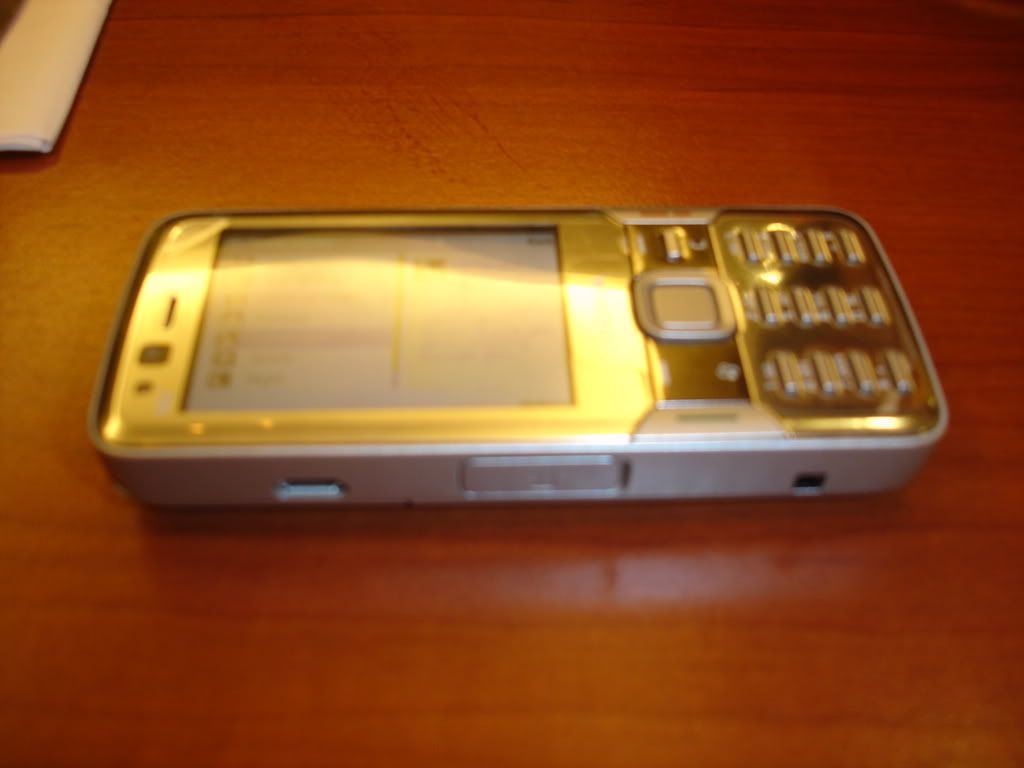
Incidentally, it was Fritz's Nokia N82 (yes, that's his phone pictured to the right) that made me realize it's really time to get me some new hardware. Juned had a hand in that too (a few months back), but the urgency was just driven home with the realization that my three-year old Cyber-shot can easily be obsolete in a couple of weeks. What? Oh, it's obsolete already? Well, so much for that.

So, back to our topic on great dSLR's for beginners:

In an article published on CNet.com.au a little more than a year ago, we get ourselves a helpful little look into getting our first dSLR. Sure, there may be better ones out in the market now, but when you know absolutely nothing about these babies, I'd say this article is a good place to start. In fact, I'm del.icio.us'ing/Digg'ing/StumbleUpon'ing it right now.


Why You Would Want To Get A dSLR

Maybe you don't have to. In fact, a compact digital camera (like my CyberShot) works just fine. But if for some reason, you'd want to take your photography to a higher level, then maybe it's time you start investing in a digital single-lens reflex (dSLR) camera.

I'm only geek enough to want to get into geekier things, so if you want to read up more on what a dSLR is all about, you may want to start Googling it up, or reading all about it here on Wikipedia.

According to CNet's Mary Lojkine:

An SLR is more responsive than a compact, allowing you to take photos more quickly; it gives you more control, so you can be more creative; and it's more flexible, allowing you to change the lens or use accessories such as flashguns and remote controls.
There you have it. Thanks, Mary.


Recommended dSLRs For Beginners


That same CNet article generally recommends these four entry-level SLR's, each has its own pros and cons, just like a Detour on The Amazing Race. But why these four? According to Mary,
...these entry-level SLRs are designed for people who are used to pocket-friendly compacts, the manufacturers have kept them small and light. Experienced photographers may scoff, telling you that larger and heavier cameras are easier to handle and hold, but if you're used to a compact, you won't want anything too big.
That being said, let's check out our four recommendations:

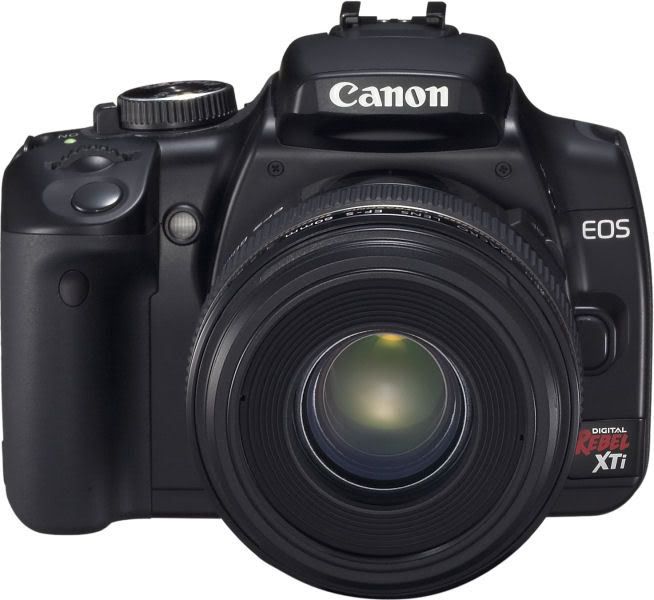
1. the Canon EOS 400D. The Canon EOS 400D ships with 18-55mm zoom lens. It has a 10-megapixel sensor, and it gives you great customization options with a wide range of lenses and accessories you can attach to it, depending on what you need. Has a good balance of auto, semi-auto and manual controls for you to explore as your skills improve.
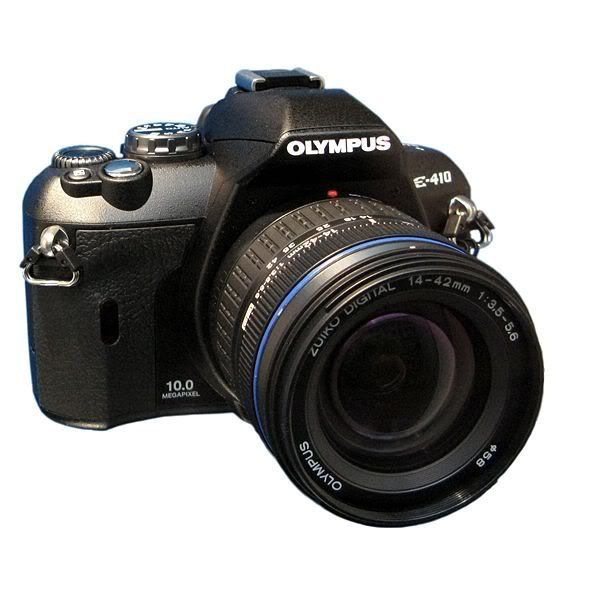
2. the Olympus E-410. The Olympus E-410 is the smallest and the lightest of the four- great if you want to carry around less camera. It also comes with a 10-megapixel sensor. Compared to the Canon and Nikon, it comes with a better zoom range out of the box- with a twin-lens kit with 14-42mm and 40-150mm lenses, or 28-84mm and 80-300mm in 35mm terms.
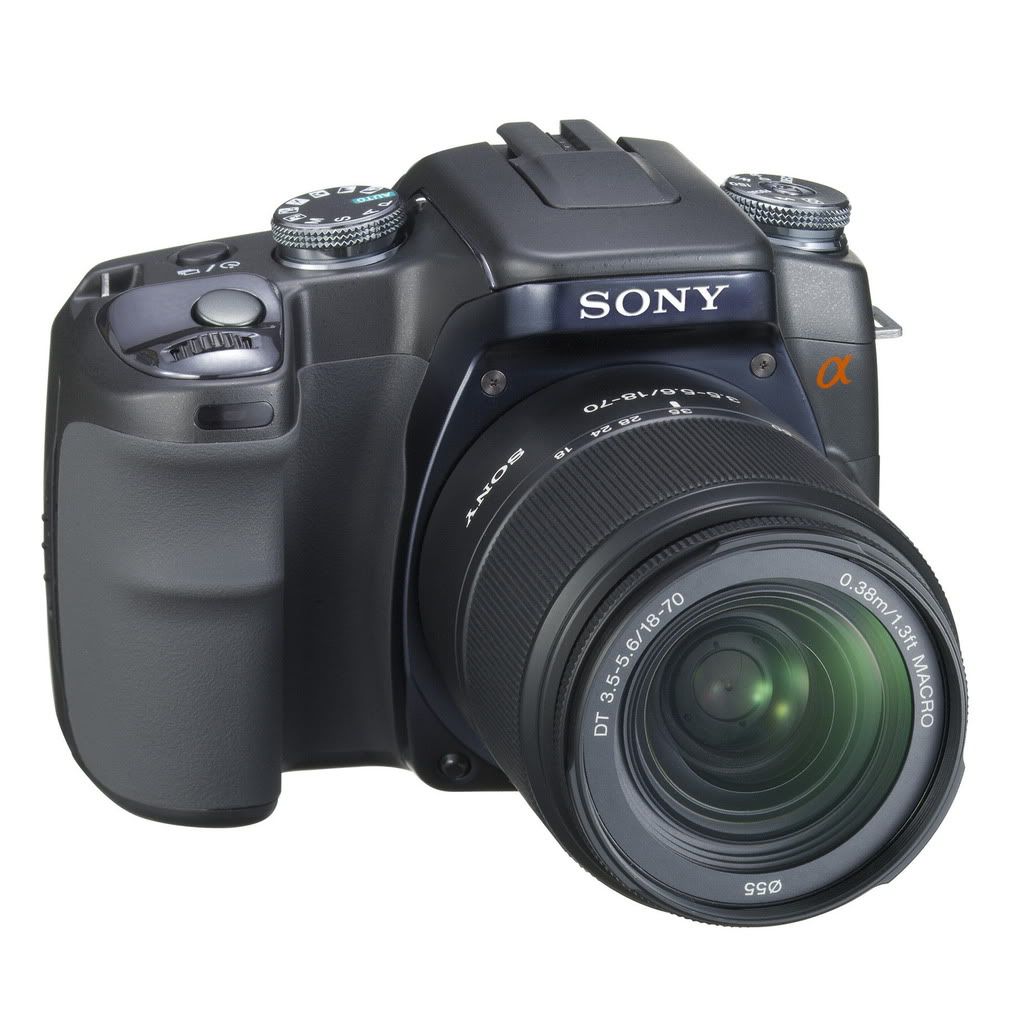
3. the Sony Alpha DSLR-A100 . The Sony Alpha DSLR-A100 also has a 10-megapixel sensor, and is a relative newcomer in the dSLR market, using the tech it got from Konica-Minolta. It has a built-in image stabilization option (whereas you have to get special lenses for the Canon and Nikon). It also has auto focus, anti-static coating and 21 compatible lenses.
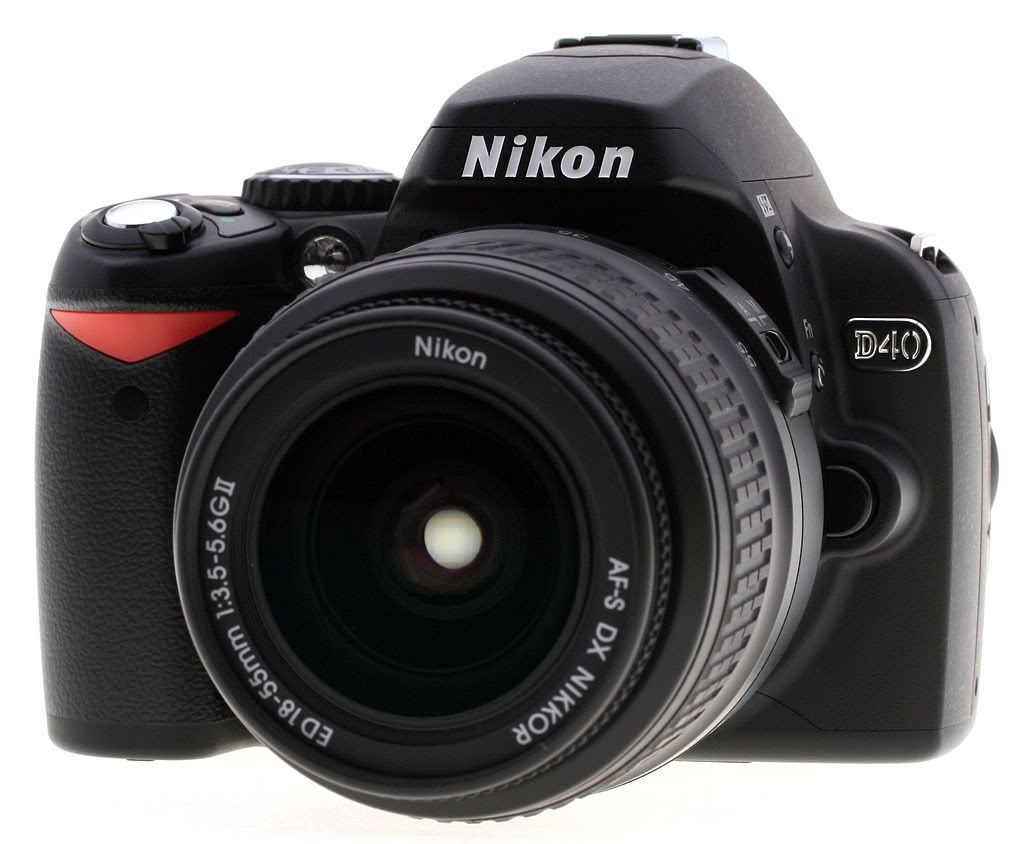
4. the Nikon D40. Just like the Canon, the Nikon D40 also ships with a zoom lens, but only comes with a 6-megapixel sensor. Still not bad, and will still produce better pics than a regular compact, but you might feel you're lagging behind with this one. On the plus side, the Nikon also has a lot of accessories and lenses you can get later on, so in that regard, it's just as customizable as the Canon. That said, it's still a great transition camera as your first dSLR.


The Final Word

As far as CNet has presented, you have a good variety of transition dSLRs too choose from, depending on how you see yourself using your camera in the more immediate future. But here's what they have to say:
...it's a close-run thing, but for our money, the Canon EOS 400D has a slight edge. It costs a little more than the Nikon D40, but the extra megapixels will keep you happy for longer.
So there you have it, ladies and gentlemen. I hope this helps you out as much as did for me. Still, don't stop looking around and checking out other cams. There might be other, newer models out there that could be better than the ones presented here. I'd sure love to hear about it if you do find any.

Cheers, everyone!

Read more...

My Review of the Asus Eee PC.

Thursday, December 6, 2007

Since my first post about my acquisition of one of these sexy Asus Eee PCs, there have been a number of posts and comments- more like questions, really- asking me what I think about it. So here's my effort to give it a personal review, hoping that this will be of help in your decision-making process- whether to get one of these babies for you, or not.

First Impressions:

The Asus Eee PC is small and light. Cute, you might even say. I prefer to call it sexy. Folded up, it's probably half the size of any regular laptop.

That's my Sony Ericsson K608i and a can of diet 7-Up right next to it, on my office desk at 105.1 Crossover.

It's got almost everything essentially built into it, including a cam. No CD/DVD drive, and very little hard disk space. But it does have 3 USB ports, so feel free to attach any variety of removable media into it.

What I Currently Have On It:

My Asus Eee PC has Windows XP installed on it, with Office- since I need to send and receive files from clients (who mostly use Office). Otherwise, I would have just gone for a Linux Operating System with Open Office- it works just like MS Office, only it's free.

For protection, it has AVG anti-virus, Zonelabs for a firewall, and Spybot for added protection.

I have Firefox to browse the internet. Utorrents for added fun, and VLC Media player to play just about anything from movies to music files.

My work files are stowed away nicely in a variety of flash disks- which I can plug in to any of my desktops whether I'm at work or at home.

Cons:

One of the biggest cons for me is, since it IS a small laptop, it does have a small keyboard. Which doesn't bode well for my fat fingers. It's not really so bad, it just takes a little getting used to.

The storage space could be a bother. With XP installed, I have about less than 2GB to store files in. Thankfully, I do have a whole bunch of flash disks and even larger capacity hard disks, so it really isn't much of a big deal.

It also has no CD/DVD drive/burner. Again, no big deal since you can easily transfer whatever files you need to burn onto another PC with a CD/DVD writer.

Pros:

It weighs less than 1kg- which means, it's just as heavy as a pair of jeans folded up. Non-bulky, incredibly compact and very light- it means that's one less bag you have to lug around.

Don't worry about messing up the hard disk as it gets jostled around in your bag. The solid-state hard disk means it works just like a flash disk- so unless you run this thing over with a small truck or use it to self-destruct on one of those Mission:Impossible intros, you're rather assured that your stuff remains fairly intact.

It fires up pretty quickly, and automatically searches for wi-fi signals in the area. Great for going online outside if you have to.

The battery on a full charge gives you a little over two hours- which in my case, is more than enough to blog in the cab on my way to work, which is actually what I'm doing right now.

Renzie's Final Word.

If you work a lot on the go, or if you're very much into blogging, the Asus Eee PC is definitely for you.

Just don't expect to run any heavy programs on it. That's what your PC or your Mac is for. In fact, the Eee PC works best in conjunction with your other PCs at home. Think of the Eee PC as handy little PC you take with you on meetings and other out-of-office/out-of-home business functions.

If you want the pastel colors though, they'll be available in January 2008- at least that's what I heard. Mine's in black, but the store I got this from also carries models in white- which was also selling like hotcakes.

Students would also appreciate this baby- assuming of course, that they could get mom and dad to get them one.

Read more...

Blogging My Way To Work.

Currently, my everyday commute from home to work takes about an hour in a cab. I usually take the time to do my phonecalls, prepare my to-do list for the day, or scribble down a few notes.

As some of you may have already read, I have acquired for myself one of these sweet Asus Eee PCs. Which means I could actually take out this sexy little laptop and do some work on the way to work.

Or blog while I'm on my way to work.

I simply can't stress it enough: when you're a blogger, if and when the urge to write hits you- by Bob, you better get down to writing.

Thoughts are very volatile stuff. You could have a nice idea, or a well-worded insight, or some rant or rave you have working in your mind at the moment, but as you may have noticed- that can all evaporate just as quickly as it was formed in your head.

Thus, the urgency to blog as soon as you can. Can't get any fresher than that, right?

Read more...

My New Asus Eee PC

Monday, December 3, 2007

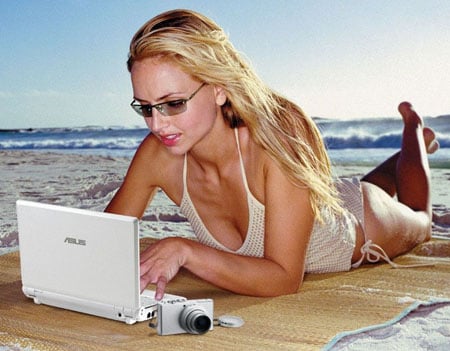
Ladies and gentlemen, I am the proud owner of a new Asus Eee PC! Just like the one in the pic to the right, except that 1> mine comes in black, and 2> no chick comes with the standard retail package. Check out the specs right here.

At any rate, it's charging now right next to me. Got it from Virra Mall earlier this afternoon.

Dang, I really couldn't help it. I first saw this baby at last Friday's Bloggers' Mix-up. A fellow blogger of ours- Juned, I believe- took out his brand new Asus Eee PC, and in just a short time, everyone was positively raving about the cute little thing. You can check out the pics taken by Noemi here, and even more pics here.

I got it for just a little over Php17,000.00. It's a great little toy if you want something compact (just about the size of a hardbound book), comfortably light (it weighs a little less than 1kg) and functional- especially if you're into blogging, doing a lot of presentations, or just working a lot outside the home or office.

Don't expect too much though: it doesn't have much hard disk space. The Linux-run models have about 4GB of space on them, but if you install XP on it, you'll probably be left with less than 2GB. Not much of a problem, since you can attach any array of removable media (whether a flash disk or a full external hard disk) through its three USB ports.

Despite the limited hard disk issues, the Asus Eee PC works like a charm: it allows you to go online, whether through a broadband cable or via wi-fi, thereby enabling you to go on Skype or Yahoo!, check out your mail, hit Facebook, watch videos on YouTube, and (most importantly) blog! Aside from the USB ports, it also has a card reader (who needs CD/DVD drives now?), a built-in camera, mike and speakers, and a solid-state disk for excellent shock protection.

Officially classified as a subnotebook, it's not hard to imagine the Eee PC to be an instant favorite not only by bloggers, but by students, regular office people, entrepreneurs- just about anyone who's into the market for a decent notebook or laptop.

Personally, the Eee PC works best with your other PCs (your home or office desktop will still be the mothership). It's not designed to be your main workstation; just the cute little computer you take with you when you're working on the go. Bring along some removable hard disks or flash disks, and you're pretty much set.

Let's see how this baby goes in the next few weeks. I'll keep you posted.

Read more...

I suppose we should be getting on with our lives now?

Sunday, June 3, 2007

Gotta thank TV for coming out with a lot of great stuff this past season.

Heroes from NBC was probably the most noteworthy of them all. Great character development, excellent story and plot twists, giving you just enough of your fix this week so that you end up at the edge of your seats by the end of the episode, anxiously waiting for the next week's show. Well done, Tim Kring, well done.

Then you have Grey's Anatomy (season 3), Scrubs (season 6), My Name is Earl (season 2), Veronica Mars (season 3) and, of course, Lost (season 3). All these shows I've religiously downloaded each and every week, thanking the gods of broadband how life has been made so much better with file-sharing from fellow file-sharers.

So now that its all done, what next?

While waiting for the networks to build and hype their line-up of shows for the fall season, it might be prudent to actually get off your ass and re-discover the world you've so thoughtlessly left behind.

In my case, it's work. Apparently, I've been too busy recreating these past several months, that I've actually put a very important task- making money- completely on hold. Gotta keep making money to do the things you like to do, you know.

And so I decided to get into some writing. Serious writing. In fact, the kind of writing that gets paid (like copywriting and doing SEO for a bunch of Australian websites), with a number of blogs going on to help hone my craft.

Blogging, I suppose, helps build a good network of like-minded individuals. For one, I would like to see how this all figures out in giving any business or project an online presence, which hopefully can be translated into actual revenue. It IS very much possible- and as I discover more about it, I hope to document it all here on this blog.

So there's writing, and the continuing quest for the perfect new career, and a couple of projects I really want to get off the ground. All these things to supposedly keep me occupied, at least until the next batch of great TV shows comes around to bring back the couch potato in me.

(Hey, anyone seen that new take on The Bionic Woman?)

Read more...

Essential Cool in Digital Media, Pop Culture and the Internet, with Renzie | RenzieBaluyut.com

The Life & Times of The Renzie Man

Keyboard Monkeys! | Tips, Tricks and Advice for the Digital Entrepreneur

HarvardBusiness.org

How to Change the World, by Guy Kawasaki

Barfield Management

PinoyMoneyTalk.com - Make Money Online, Stocks, Forex, Mutual Funds Philippines

  © Free Blogger Templates Columnus by Ourblogtemplates.com 2008

Back to TOP